 Sakvora
Every print is inspected before it counts towards an order. Operator piece-rate earnings are calculated from the items that pass.
Inspect print results
Open QC (in the app, main menu), where finished prints appear. Select a print, enter how many failed (leave 0 if all passed), and add a reason if needed. Passed items go to the related order automatically until it has enough. For any extras, choose keep in stock or discard.
Ideally, the inspector is not the person who printed. Only owners may inspect their own prints, and this is flagged in the history. Mistakes can be corrected: each correction is recorded as a new entry, and the original entry is kept.
Piece-rate work
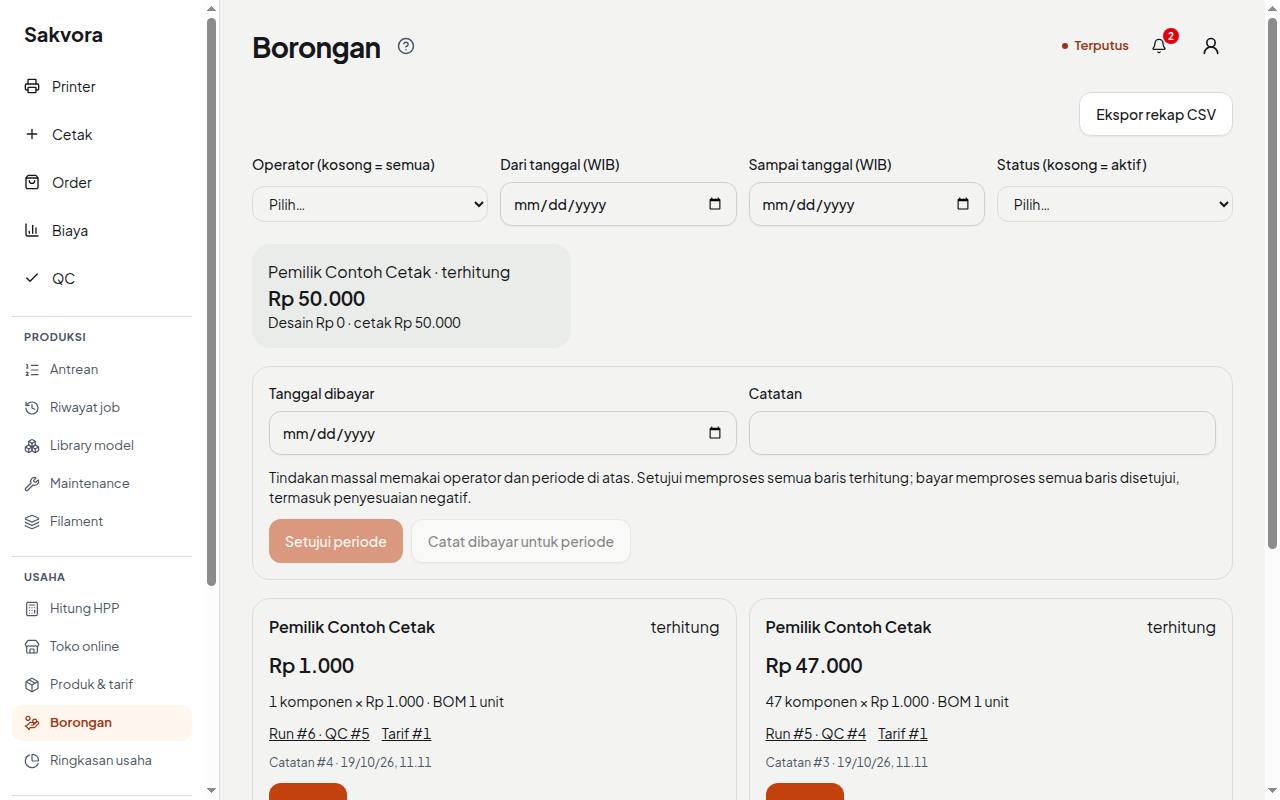
Piece-rate work (in the app, Business) records operator earnings for items that pass QC, using the per-item piece rates in Rates (in the app, Settings). The flow:
- Calculated: automatically once items pass QC.
- Approved: an owner or admin reviews the list by operator and period.
- Paid: recorded once the money has been handed over.
Piece-rate work is record-keeping only; Sakvora does not transfer money. QC corrections that reduce the number of passed items create a negative adjustment in piece-rate earnings.
Continue to Connect a Bambu printer.