 Sakvora
Any printer can be used in Sakvora, even without a network connection. This is called a manual printer: Sakvora uses it to calculate unit cost and to record the jobs you log yourself.
Add a manual printer
On Printers, click Add printer, then choose Other / manual printer. Enter the name, brand, and model (for example Creality Ender-3 V3), power in watts, purchase price, and expected lifetime in hours. Sakvora calculates the machine cost per hour from the price and lifetime. If you have a plug-in watt meter, use its reading for a more accurate electricity cost.
Log a job
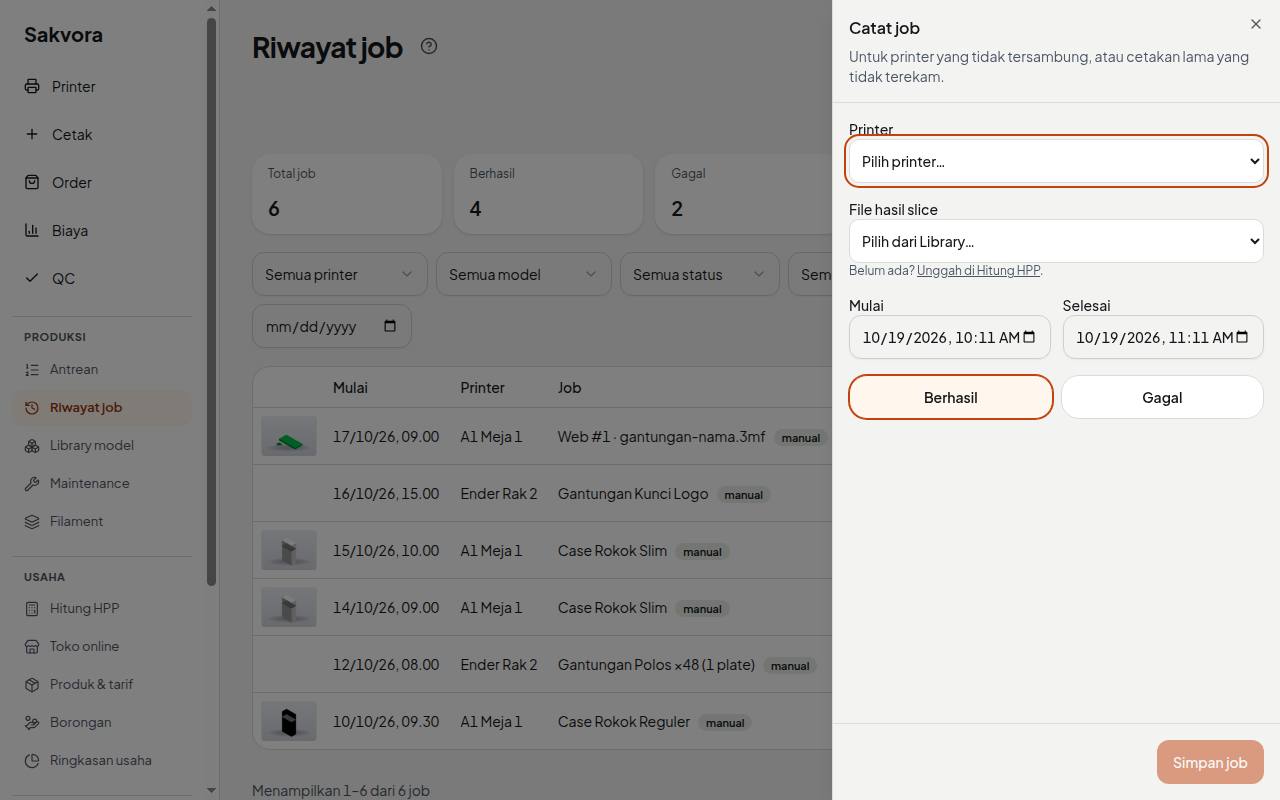
After printing on a manual printer, open Job history (in the app, Production) and click Log a job. Select the printer, the sliced file, and its plate, then mark the print successful or failed (with the percentage at which it failed). Past jobs can also be logged with their original dates.
After saving:
- The job's unit cost is calculated from the file and that printer's rates.
- The selected filament spool goes down by the grams used (failed jobs count partially).
- The job appears in Costs and Job history and can be used for QC and orders.
In Print (in the app, main menu), choosing a manual printer also ends with a Log a job button after slicing, with the printer and file already filled in.
Maintenance
Manual printers can still have maintenance schedules under Maintenance (in the app, Production), for example a nozzle change every 500 hours. Print hours are counted from logged jobs.
Continue to Orders and profit.